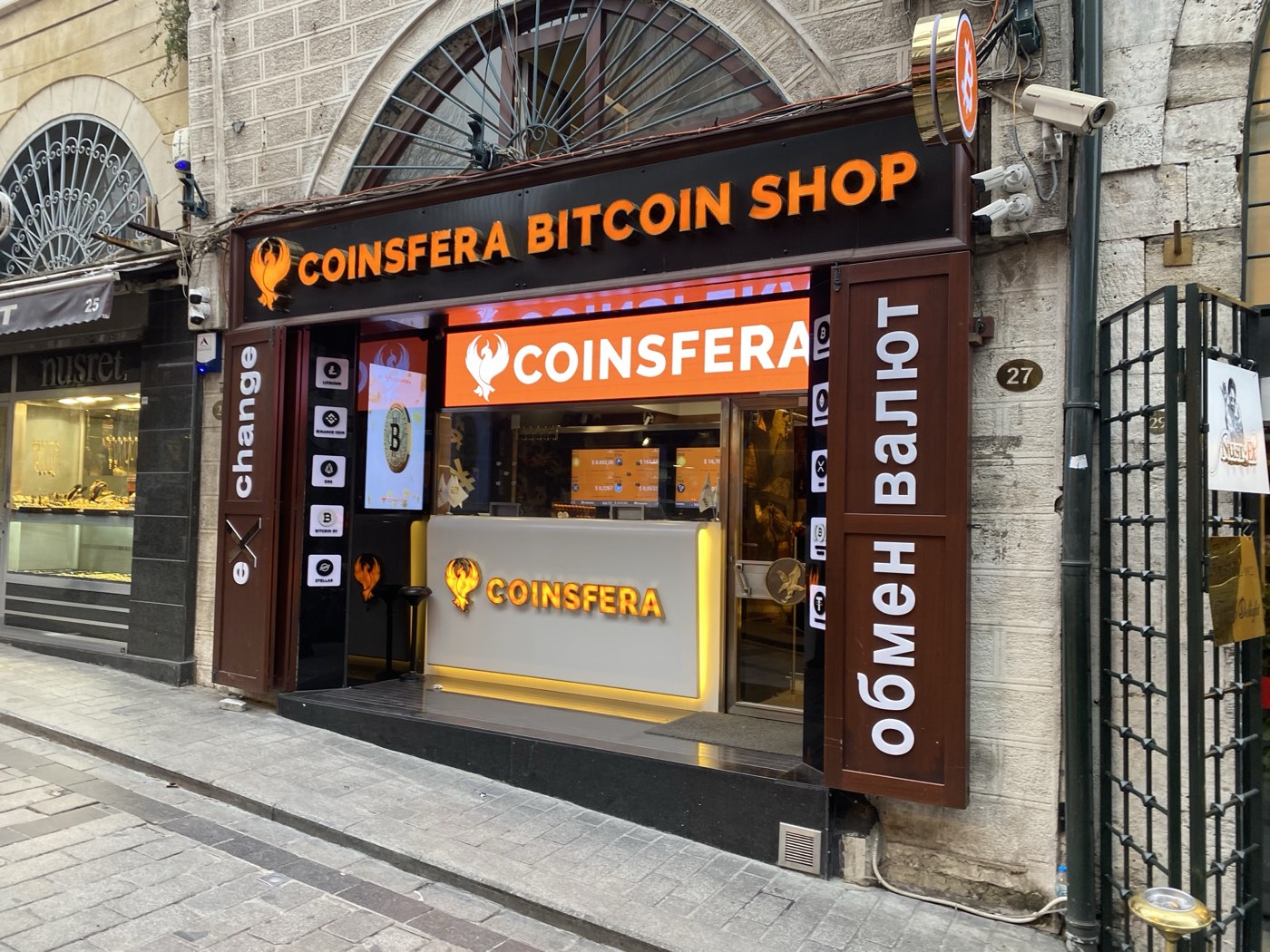
Let me save you twenty minutes of frustrated clicking: there is no Coinsfera login. Not a hidden one, not a beta one, not one reserved for big clients. People search "coinsfera login" — and in Turkish, "coinsfera giriş" — every day, expecting the familiar exchange ritual of email, password, and a dashboard with balances. It does not exist, because Coinsfera is not that kind of business. It is a physical OTC (over-the-counter) office — a "Bitcoinshop", in the company's own vocabulary — operating since 2015 with its flagship at Necatibey Cd. No:51/A in Istanbul's Karaköy district. No user accounts, no order book, no online balances, no login system. You get a quote, book an appointment, show your ID at the desk, and coins settle to your own wallet. That is the entire product, and we walk through it in our main Coinsfera Istanbul guide.
Why does this page exist, then? Because the gap between what people search for and what actually exists is exactly where phishing lives. A search phrase with real volume and no legitimate destination is a gift to scammers: they build a fake "Coinsfera member login", run a few ads or squeeze into search results, and harvest whatever people type in — passwords they reuse elsewhere, card numbers, or worst of all, wallet seed phrases. I have audited enough of these kits since 2017 to tell you they are cheap to build, quick to clone, and depressingly effective.
So this guide does three jobs: shows you the legitimate way to actually reach Coinsfera, teaches you to recognize a fake login page in under ten seconds, and — since many of you searching for a login are exchange users generally — gives you the account-security checklist that makes phishing survivable.
No Coinsfera Login Exists: What You Actually Do Instead
Everything an exchange dashboard does — quote, order, settlement, support — Coinsfera does through humans and messengers. Here is the complete legitimate flow, per the official site:
- Go to the official website directly
Type coinsfera.com into the address bar yourself, or use a bookmark you created earlier. Do not click through from ads, social media links, or messages. There is no login button to look for — if you see one on a site claiming to be Coinsfera, you are on a fake.
- Get a quote via the calculator or WhatsApp
The official contact per coinsfera.com is WhatsApp +90 537 414 09 09 and email contact@coinsfera.com. The quote you receive is indicative; the rate is only firm face to face at deal time — the mechanics are covered in our fees and spread guide.
- Book an appointment via WhatsApp or Telegram
State the asset, amount, and cash currency (USD, EUR, TRY, GBP, or AED). Office hours per the official site: Mon–Fri 09:00–18:00, Sat 09:00–15:00.
- Visit the office with valid ID
Passport or national ID is mandatory
KYC. The transaction — cash counted, coins sent to your own wallet — typically takes 10–15 minutes according to coinsfera.com. What to bring and how the visit feels is covered in the Bitcoinshop visitor guide.
Notice what is missing from that list: at no point does anyone ask you to create a password, enter a verification code from an email, or "validate your wallet". Hold onto that observation — it is your phishing detector.
Anatomy of a Fake "Coinsfera Giriş" Page
The Turkish word "giriş" simply means "login" or "entrance", and Turkish-language searchers are a prime target because Coinsfera's home market is Istanbul. The scam pattern is the same in any language. A typical fake works like this: a lookalike domain — coinsfera-login dot something, coinsfera dot app, a misspelling like coinsfora — hosts a polished sign-in form. Whatever you type is captured. Then comes the escalation: a fake "security check" asking for your card details to "verify identity", or the jackpot request — "import your wallet to link it to your account", meaning: type your 12 or 24 word seed phrase into our text box.
Warning: No legitimate business on earth — not Coinsfera, not Binance, not your wallet vendor, not "support" — will ever ask you to type your seed phrase into a website, an app that is not the wallet itself, or a chat. The seed phrase is the money. Anyone who asks for it is stealing from you, with zero exceptions, ever.
Phishing red flags: the ten-second table
| Red flag | What it looks like | What it means |
|---|---|---|
| A login form at all | "Coinsfera member area", "coinsfera giriş" sign-in box | Instant fake — the real Coinsfera has no accounts |
| Typosquatted domain | coinsfora, coiinsfera, coinsfera-tr, coinsfera dot net | Clone site harvesting credentials |
| The padlock myth | "It has HTTPS, so it is safe" | The padlock only means the connection is encrypted — scammers get free certificates in minutes. It says nothing about who owns the site |
| Seed phrase request | "Import wallet", "validate wallet", "sync your funds" | Theft in progress. Close the tab |
| Urgency and countdowns | "Rate locked for 5:00 minutes — log in now" | Manufactured pressure so you skip verification |
| Contact mismatch | WhatsApp number differs from +90 537 414 09 09 on the official site | Impersonator routing you to a scammer's phone |
| Too-good rates | Quote visibly better than the live market price | Bait. Real OTC desks quote a spread above spot, not below it |
| Remote-deal offers | "Send crypto first, we deliver cash by courier" | You will never see the courier or the crypto again |
Why the padlock myth deserves its own paragraph
For years, banks trained people to "look for the padlock". That advice is now actively harmful. TLS certificates are free and automated; the majority of phishing sites serve perfectly valid HTTPS. The padlock tells you your data is encrypted on its way to the criminal. What actually matters is the domain name, read carefully, character by character, in the address bar — and whether you arrived there by typing it yourself or by clicking something. Typosquatting thrives on speed: coinsfera and colnsfera look identical at a glance on a phone screen. Slow down. The three seconds it takes to read a domain properly is the highest-yield security habit in all of crypto.
How the fakes find you in the first place
It helps to know the delivery channels, because avoiding them is easier than out-arguing them. The classic route is search-ad poisoning: criminals buy ads on the exact phrases people type — coinsfera login, coinsfera giriş, exchange name plus "support" — and the ad slot sits above the genuine result, dressed to match. Ad platforms play whack-a-mole; new fakes appear weekly. Second channel: Telegram and WhatsApp impersonators, profiles using the Coinsfera name and logo that message you first, usually after you posted in a crypto group. A real desk answers when you contact its published number; it does not cold-message strangers with special rates. Third: social media ads and reels promising "Coinsfera online platform — trade from home", targeting Turkish and Gulf audiences with the brand of a well-known physical office glued onto a fictional app. Fourth, and cruelest: recovery-scam retargeting — once you have been phished, your details circulate, and "investigators" contact you offering to retrieve the funds for an upfront fee. The common thread across all four channels is inbound contact and manufactured urgency. Flip both defaults: you initiate contact, using coordinates you took from the official site yourself, and anything with a countdown timer gets closed unread. Those two habits alone retire most of the threat model.
The Exchange-Account Security Checklist (for Everything Else You Use)
Coinsfera aside, most people searching for login pages hold accounts on actual platforms — Binance, Coinbase, a local SPK-licensed Turkish exchange. Those custodial accounts are where the login attack surface really lives, so here is the checklist I give anyone who asks. Custodial means the platform holds the keys, like a bank; your password and second factor are the only wall between your balance and an attacker. Your non-custodial wallet — MetaMask, a Ledger — has no login to phish, but its seed phrase is the equivalent crown jewel.
- Unique password per platform, from a password manager. Reused passwords turn one breached forum into a drained exchange account.
- 2FA with an authenticator app or hardware key — never SMS.
2FAvia SMS dies to SIM-swap attacks, which specifically target crypto holders. TOTP apps are good; FIDO2 hardware keys and passkeys are better, because they are bound to the real domain and physically cannot be phished by a lookalike site. - Withdrawal address whitelist. Most serious exchanges let you lock withdrawals to pre-approved addresses with a 24–48 hour delay for changes. This single setting turns a stolen password into an inconvenience instead of a catastrophe.
- Anti-phishing code. Set the custom phrase exchanges include in genuine emails; anything without it is fake.
- Separate email for crypto, itself protected by a hardware key, used for nothing else.
- Bookmark, never search. Reach every financial site from your own bookmarks. Search ads are a routine phishing delivery channel.
- Seed phrase on paper (or steel), offline, never digital. No photos, no cloud notes, no password manager entry. Lose it and no support desk can reset it; leak it and no support desk can save you.
Is this paranoid? In 2026, with the EU's MiCA regime, Türkiye's SPK licensing under Law 7518, and Dubai's VARA all forcing platforms to harden up, the platforms themselves are rarely the weakest link anymore. You are. Phishing does not break encryption; it asks you politely to hand over the keys, and it asks millions of people a day.
What to Do If You Already Typed Something Into a Fake Page
Speed matters more than embarrassment. Triage in this order:
- Entered a seed phrase? Evacuate now
Assume the wallet is compromised the moment you hit submit. Create a brand-new wallet with a new seed phrase on a clean device and transfer everything out immediately — attackers run automated sweeper bots that drain phished wallets within minutes. Do not "wait and watch".
- Entered a password? Rotate and revoke
Change that password everywhere it was reused, starting with your email. Enable or upgrade 2FA. Check active sessions and API keys on every exchange and revoke anything you do not recognize.
- Entered card details? Call the bank
Have the card blocked and reissued. Watch for small "test" charges over the following days.
- Sent crypto to a scammer? Document, then report
Record the transaction hashes, addresses, screenshots, and the fake domain. Report to your local cybercrime unit and to the platform whose brand was impersonated. Recovery odds are honestly low — and note that so-called "crypto recovery services" that contact you afterwards are a second-wave scam feeding on the first.
- Report the fake
Use the phishing-report functions of Google Safe Browsing and the registrar, and tell the real company via contact@coinsfera.com. It will not save you, but it shortens the site's lifespan for the next person.
The Takeaway: Absence of a Login Is a Feature
Here is the reframe worth leaving with. A business with no accounts has no account database to breach, no passwords to leak, no sessions to hijack. Coinsfera's model — verify a human with a passport, settle to the customer's own wallet, hold nothing — is in a real sense the opposite of the honeypot architecture that made exchange hacks a genre. The trade-offs are real and we do not gloss them: mandatory KYC, office hours, a spread instead of a fee schedule, no US persons served per the official disclaimer, and cash in your pocket between the ATM and the desk. But "I cannot log in" is not one of the problems. If you were searching for coinsfera giriş because you want to trade, the door you are looking for is a literal one in Karaköy — or, if you are in the Gulf, the Dubai desk. Book through the official WhatsApp, bring your passport, and let the only login you perform that day be into your own wallet, on your own phone, with a seed phrase nobody else has ever seen.
Frequently Asked Questions
Is there a Coinsfera login or member area?
No. Coinsfera is a physical OTC office with no user accounts, no dashboard, and no login system. Any page offering a "Coinsfera login" is fake by definition.
What does "coinsfera giriş" mean?
It is the Turkish search phrase for "Coinsfera login". Since no login exists, that search mostly surfaces phishing pages — reach the desk via coinsfera.com and the official WhatsApp instead.
How do I contact the real Coinsfera?
Per the official site: WhatsApp +90 537 414 09 09 or email contact@coinsfera.com, with appointments booked via WhatsApp or Telegram. Type coinsfera.com into the address bar yourself.
Does the HTTPS padlock mean a site is genuine?
No — certificates are free and most phishing sites have one. The padlock only encrypts the connection; verify the exact domain spelling instead.
Should I ever enter my seed phrase on a website?
Never, under any circumstances. A seed phrase belongs only inside the wallet app or hardware device that generated it. Anyone asking for it is stealing from you.
What is the best 2FA for exchange accounts?
A hardware security key or passkey, because they are domain-bound and unphishable. An authenticator app is a good second choice; SMS codes are the weakest option due to SIM-swap attacks.
I entered my details on a fake Coinsfera page — what now?
Act immediately: move funds from any exposed wallet to a fresh seed phrase, rotate passwords starting with email, enable 2FA, block exposed cards, and report the domain. Speed beats everything else.